

Unblock is a new WordPress plugin by Loïc Blascos (founder of WP Grid Builder) designed to extend the Gutenberg editor for an enhanced page-building experience by mapping each block to an HTML element and allowing users to control styling, edit CSS, HTML, JavaScript, and work with dynamic data right within the native editor.
It also includes an AI chat assistant, which can generate layouts, design elements, and content through natural language prompts.
What Unblock addresses
Loïc Blascos described the plugin as a response to limitations in Gutenberg’s existing editing workflow, particularly when users need more control over semantic structure, markup, and styling , “ Gutenberg was built as a content editor. Paragraphs, headings, images, lists. Abstract content types that render HTML on the way out. That works fine for posts. It breaks the moment you want to build a page, where you have to lay out semantic structure, control markup, own the styles.”
Unblock maps blocks directly to HTML elements, “ Every block in the editor maps 1:1 to a real HTML element. A Group block is a <div>. A Heading is an <h2>. A Section is a <section>. No abstraction layer, no shortcode soup, no wrapper hell. What you build in the editor is what ships to the browser.”
The project emerged during a rewrite of WP Grid Builder as highlighted, “It came out of rewriting WP Grid Builder. Working with the editor as a standalone canvas, outside the post editor, made obvious how much of it was already there, just hidden behind walls.”
The name “Unblock” also references the plugin’s architecture, with the announcement noting that “un bloc” in French translates to “one block,” while the English meaning refers to removing limitations from the editor.
Key features
Unblock provides access to HTML, CSS, and JavaScript inside the editor, allowing users to edit markup, styles, and scripts with features such as syntax highlighting, autocomplete, and live preview.
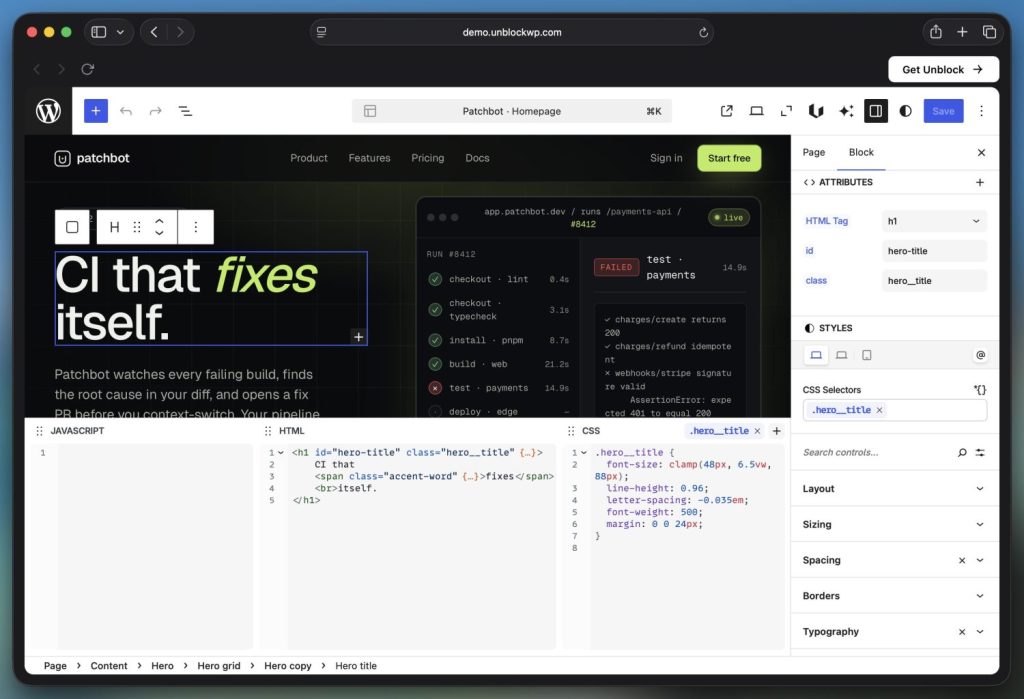
The plugin includes a design system that combines a visual styling panel with a CSS inspector, allowing users to control layout, typography, and visual effects through both interface controls and direct code editing. Changes made in either view remain synchronized in real time.
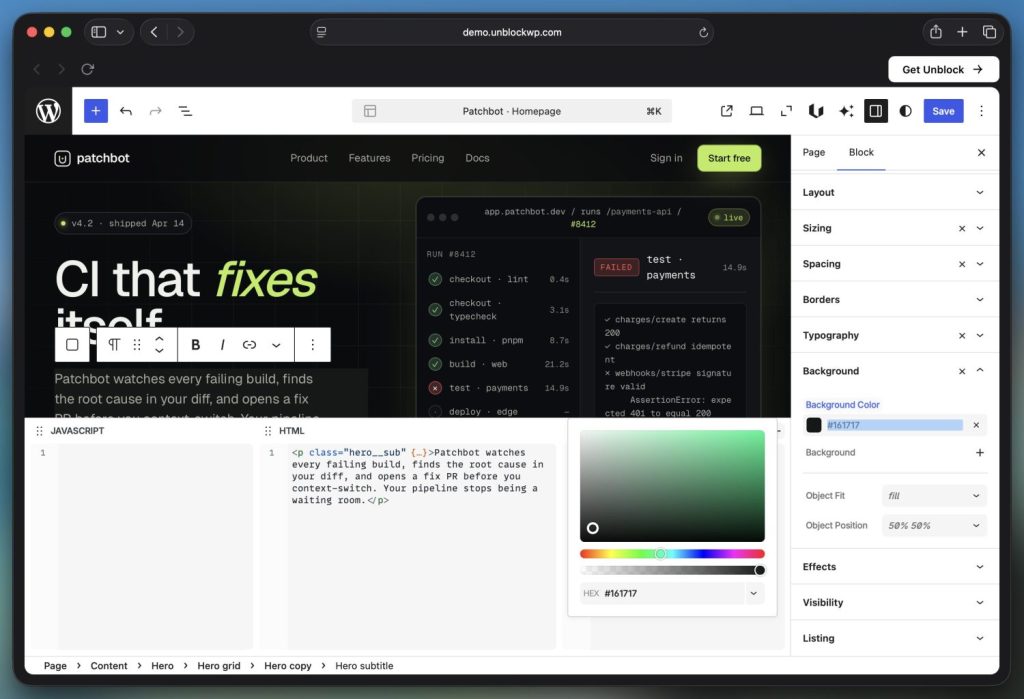
It also supports responsive breakpoints, container queries, and advanced CSS at-rules, with styles scoped and reusable across the site.
Unblock also uses a global CSS approach that differs from the per-block styling model commonly used in most page builders and Gutenberg, “ You attach a selector to a block (a class, an id, a custom selector) and that selector becomes a real CSS rule, stored centrally with all the others. Re-attach it elsewhere? Same rule, applied again. Selectors and at-rules are tokenized: rename a class, swap a breakpoint, the change propagates everywhere it’s used.”
It also features a dynamic data layer inspired by Timber, using Twig. It allows blocks to be bound to posts, users, terms, custom fields, and WooCommerce products, with support for complex queries and pagination. There are also over 50 filters and supports lazy evaluation.
Besides these, there are also 13 inbuilt blocks, conditional display, PHP hooks to further extend and customize the plugin, integration with ACF, Meta Box, JetEngine, and Pods, and more. Security features involve HTML and CSS sanitization, SVG cleaning, private meta key blocking, and more.
The AI assistant
There is also a chat assistant called Unbot AI, integrated into the block editor, allowing users to create pages, design layouts, and generate or edit content through prompts, all from within the editor itself.
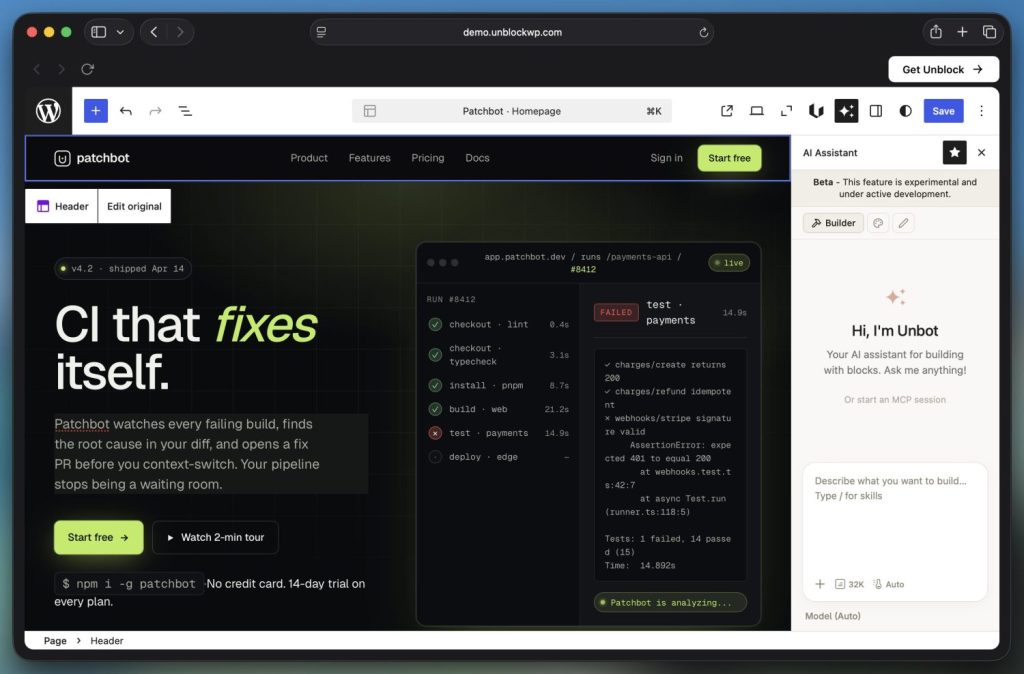
It operates through WordPress Connectors and requires a configured AI provider. Inside the editor, it opens as a chat panel and is organized into three agents: Builder for creating and modifying blocks and page structure, Designer for visual styling such as layout, colors, and typography, and Writer for generating and editing text content.
The plugin is currently in beta, and the launch now offers a lifetime deal, which will be available on May 20. The lifetime deal won’t be available once the beta stage is over, and only annual plans will be available.