


I’m comfortable with WordPress and can handle the usual day-to-day work of managing a site. But when something breaks or needs even a small change that involves code, that usually means pinging someone from our development team.
And that can introduce a delay, and it always does. They might already be working on something else, so I have to leave them a message explaining the issue and wait until they’re free to look into it. Even a relatively small problem can turn into a back-and-forth before it gets resolved.
But what if I could take a first pass myself on a staging site? I could try to investigate the issue, make the changes, and then hand the development team the staging site where they can review exactly what I did.
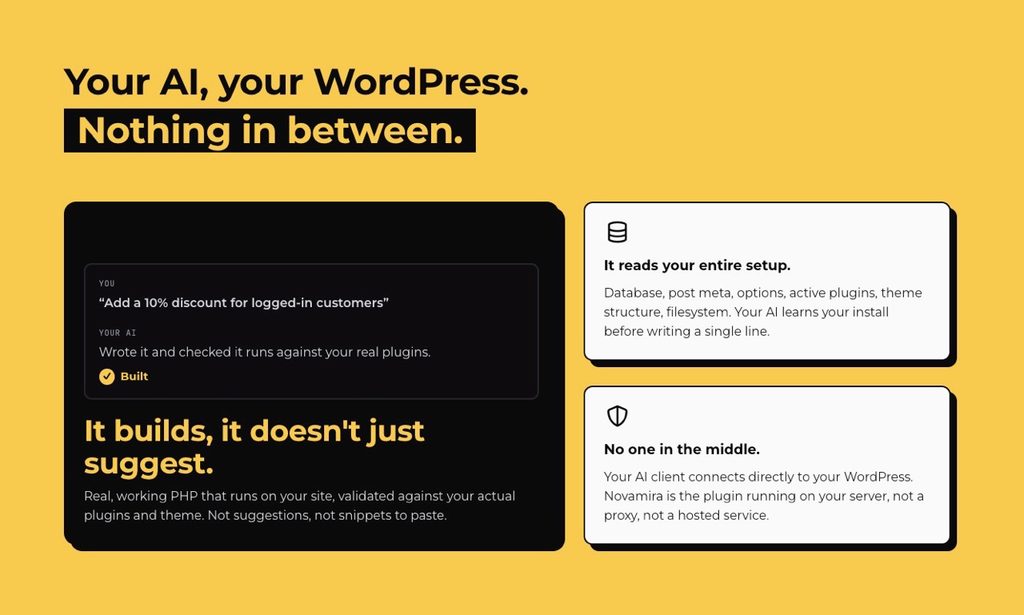
So when the Novamira team contacted us about reviewing the plugin, its approach caught our attention. Rather than the usual AI workflow of prompting, getting a response, trying it, reporting what happened, and going back for another response, Novamira gives an AI agent access to the full WordPress environment itself.
So we decided to take Novamira for a spin from both sides. I wanted to see what it could help me accomplish without having to immediately call a developer, while our developers wanted to see what happens when an AI agent is given this level of access to WordPress.
What changes when AI stops guessing?
After all, wasn’t AI supposed to make this kind of technical work easier? The drill being that we describe what we need, get an answer, and get the work done without having to rely on someone else for every technical task. But in practice, there is still a gap between getting an AI-generated solution and having that solution actually work on your WordPress site.
That is where Novamira flips the script.
Novamira is a WordPress plugin built by the team at Dynamic.ooo that connects AI agents to WordPress through the Model Context Protocol (MCP). Rather than simply giving an AI agent a predefined set of WordPress actions, Novamira gives it access at the PHP runtime level, along with filesystem operations, database access, WP-CLI, Gutenberg, Skills, and other capabilities.
That matters because, before Novamira, my role on the staging site was fairly limited when something technical came up. I could identify and confirm that an issue was happening, but the actual investigation and fix were handled by the developer.
With Novamira, I could try taking that first pass myself. As it changes the usual AI workflow of “prompt-response-try this”; the agent can work with the environment it is actually trying to change. It doesn’t have to make guesses based on the context I provide because it can inspect the WordPress installation itself. Later, the development team could review what I had done.
There are other WordPress MCP plugins available, but their approach generally revolves around a predefined set of actions the AI agent can perform.
Since its first stable release in March 2026, the Dynamic.ooo team has continued expanding Novamira with features including the Abilities Hub, OAuth sign-in, Novamira Design, and Novamira CLI, along with support for more than 38 builders and plugins, with more on the way.
Could I actually fix a WordPress issue myself?
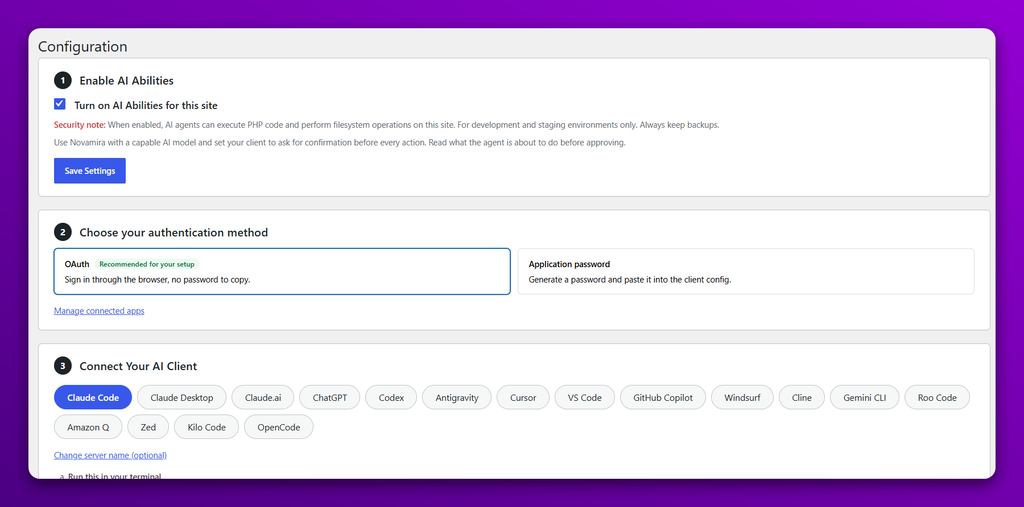
The installation was straightforward. After installing the plugin, I enabled Abilities, selected OAuth as the authentication method, and connected Claude Code.
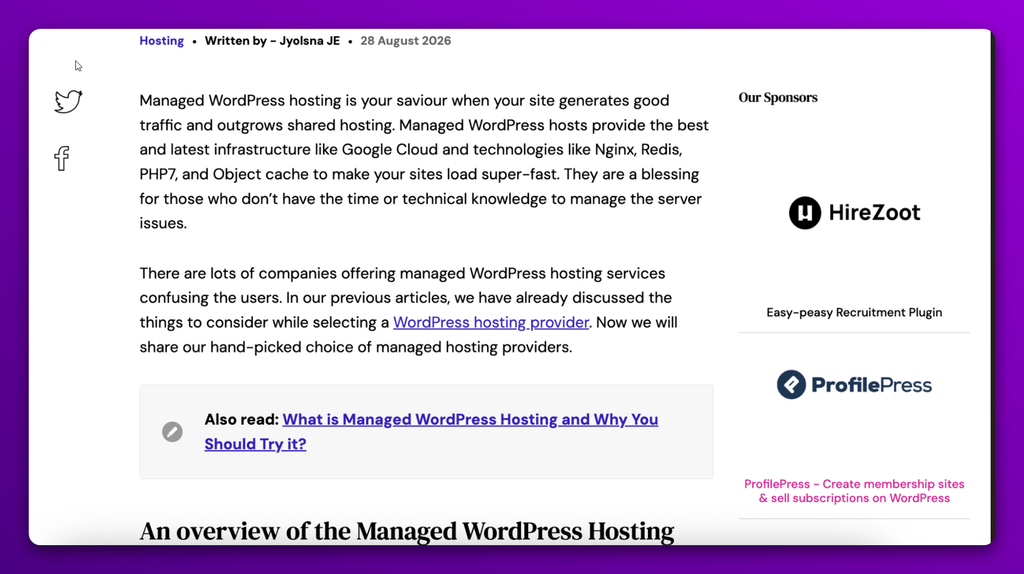
For the first test, I asked our development team to deliberately introduce a spacing issue in the “Our Sponsors” section and at the bottom of the Hirezoot and ProfilePress images.
I asked Claude to analyse the issue and figure out what was causing the problem.
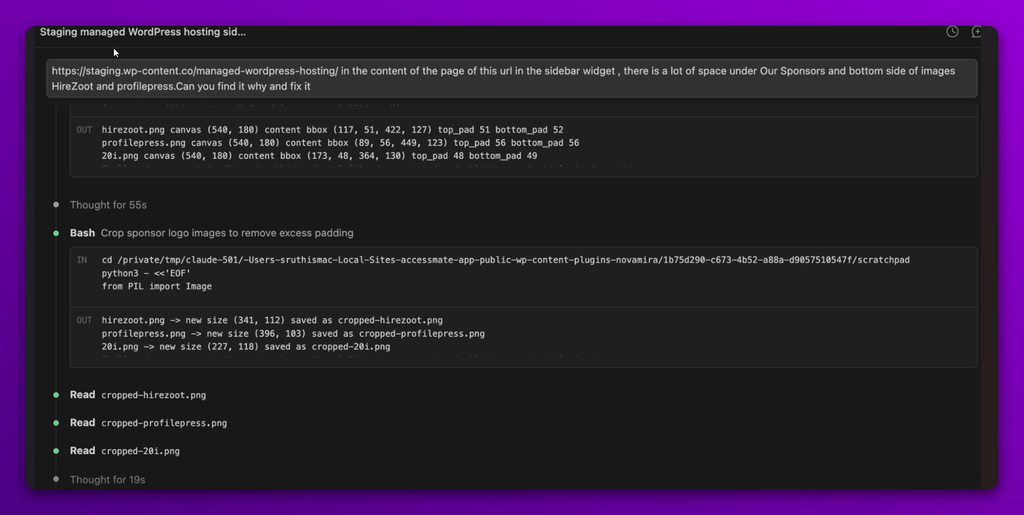
Claude traced the problem to an unnecessary CSS rule that was affecting the spacing and suggested removing it to resolve the issue.
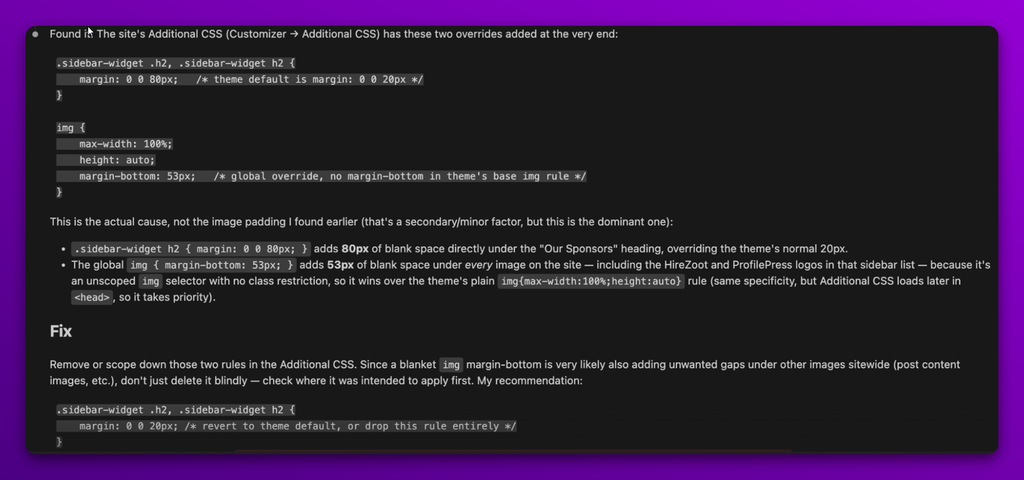
Once I gave Claude the green light to make the change, it removed the unnecessary CSS rule and fixed the spacing issue on the staging site without introducing further problems.
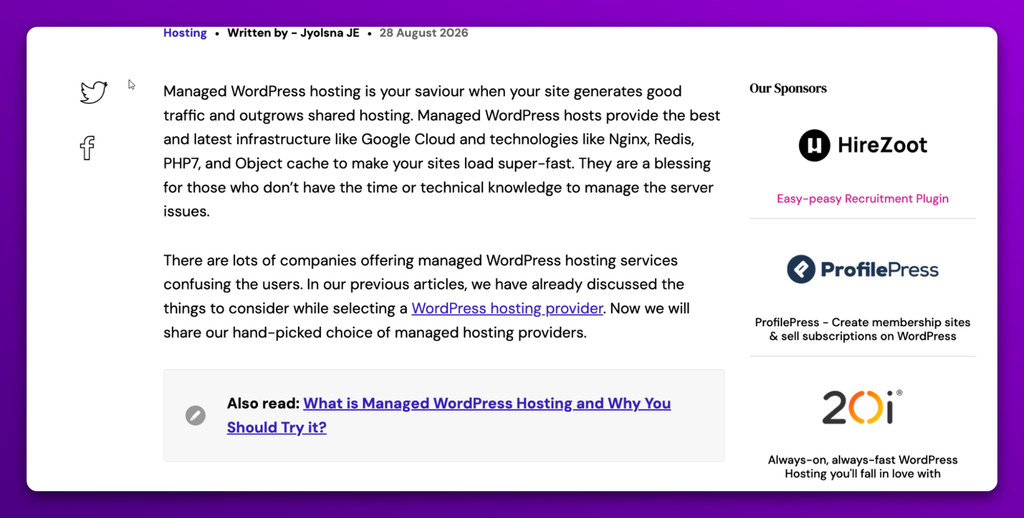
This test changed how I look at what I can actually handle on a WordPress site. I could have used AI to describe the issue and ask for a solution before, but the WordPress environment behind that issue would still have been largely a mystery to the AI. It could work with whatever information I gave it, but it couldn’t see what was actually running on the site, what might be affecting the issue, or whether its suggested fix would work in that particular environment.
With Novamira, I still had to tell Claude what the problem was, but that was where my part of the investigation could largely stop. Claude could then work with the staging site itself, inspect the environment, determine what was causing the issue, and make the fix.
For me, that’s the real difference. I wasn’t just getting an AI-generated answer to a WordPress problem; I was able to give the problem to an AI that could actually work with the site and do something about it. The developer can still review the change before it reaches production, but the investigation and initial fix no longer have to wait for the developer.
Looking at Novamira from a developer’s perspective
While my test focused on whether Novamira could help me investigate real issues on a staging site, we also wanted to see what it looked like from the other side, where the person using it already works with code and WordPress development every day.
For the developer side of the review, we used the same Claude Sonnet 5 to audit Embed Any Document (free) and tackle a real issue in the plugin. Using Novamira’s execute-php ability, Claude was able to run the plugin’s live code directly on the WordPress site rather than simply reading through its files.
That led to a specific issue in human_filesize() in awsm-embed.php. The function can throw a fatal TypeError on PHP 8.2 when it receives an empty or non-numeric byte value.
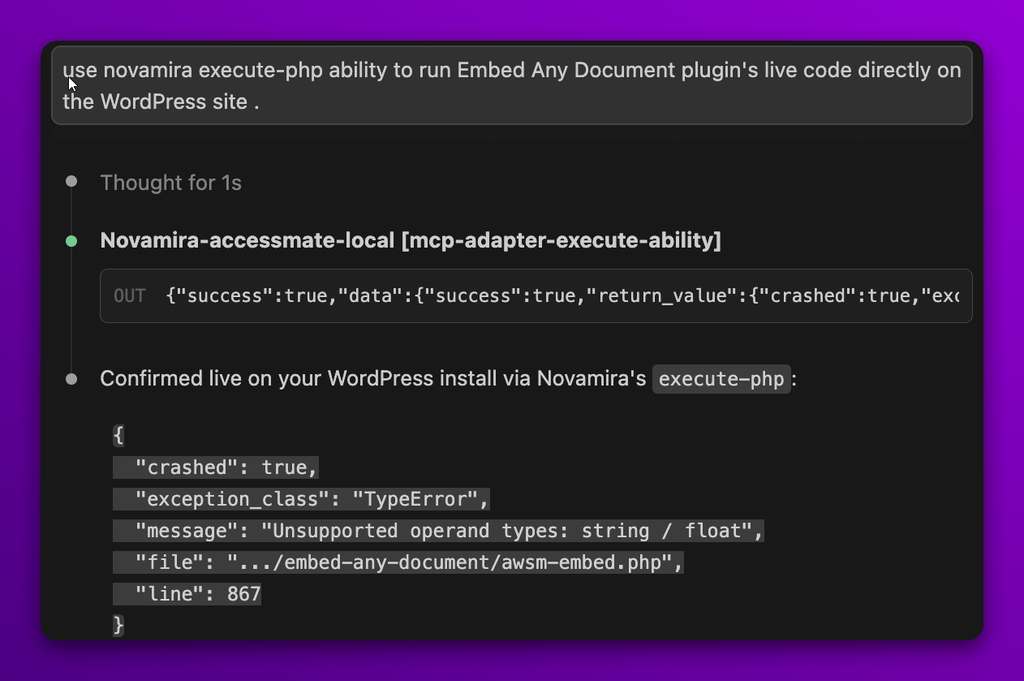
The issue occurs when a shortcode displays a download link, and the remote document server returns an empty Content-Length header. That value eventually reaches human_filesize(), where the calculation fails and causes that part of the page render to crash.
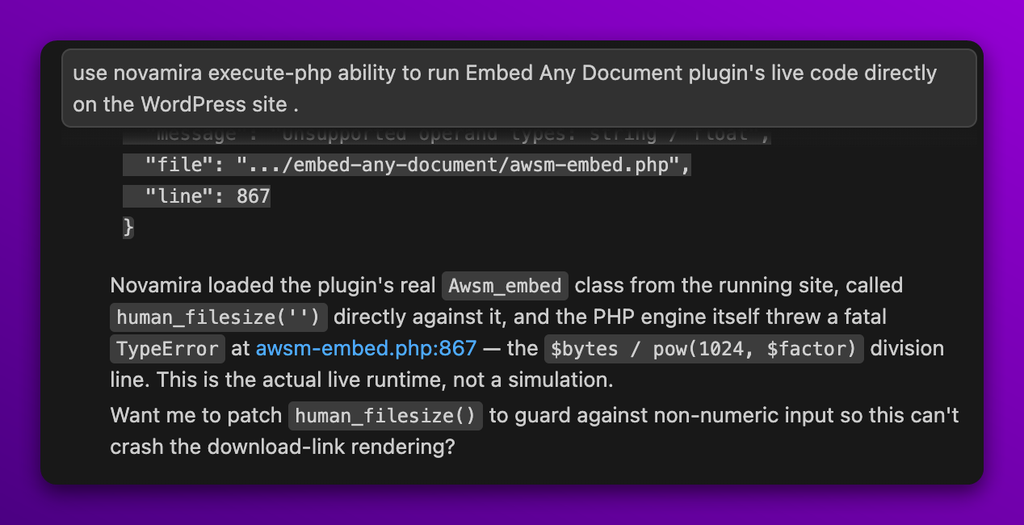
The interesting part was how Claude found the issue. Using Novamira’s execute-php ability, it could directly call the function in the running plugin and reproduce the failure.
It wasn’t simply reading the code and suggesting that something might be wrong. The problem was actually reproduced through the live WordPress environment.
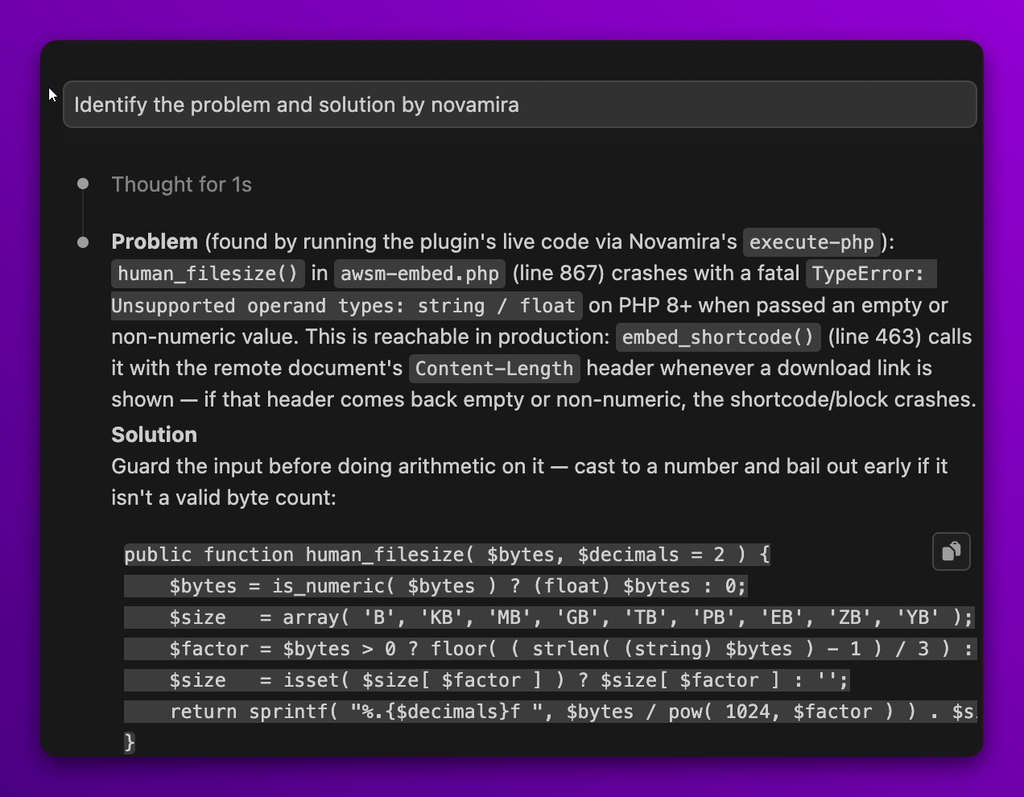
Claude then identified the cause and proposed guarding the input before performing the calculation. The suggested change checks whether the value is numeric, casts valid values appropriately, and falls back to a safe value when it isn’t a valid byte count.
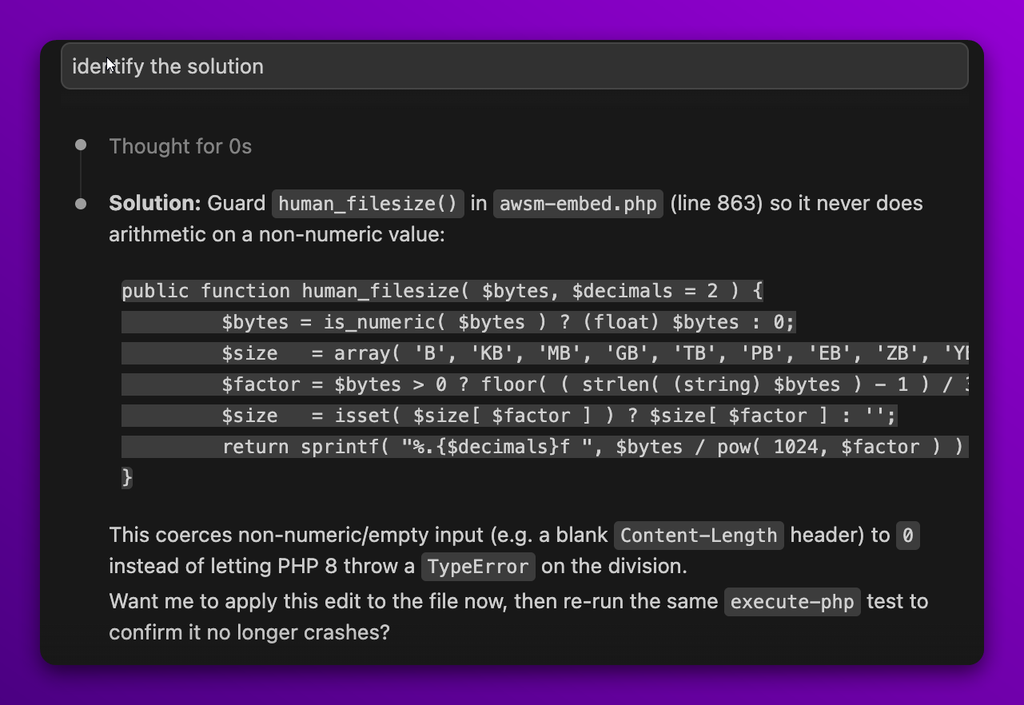
The developer then verified the change to confirm that the issue was resolved and that the fix did not introduce problems elsewhere.
Free vs. Pro: What do you get?
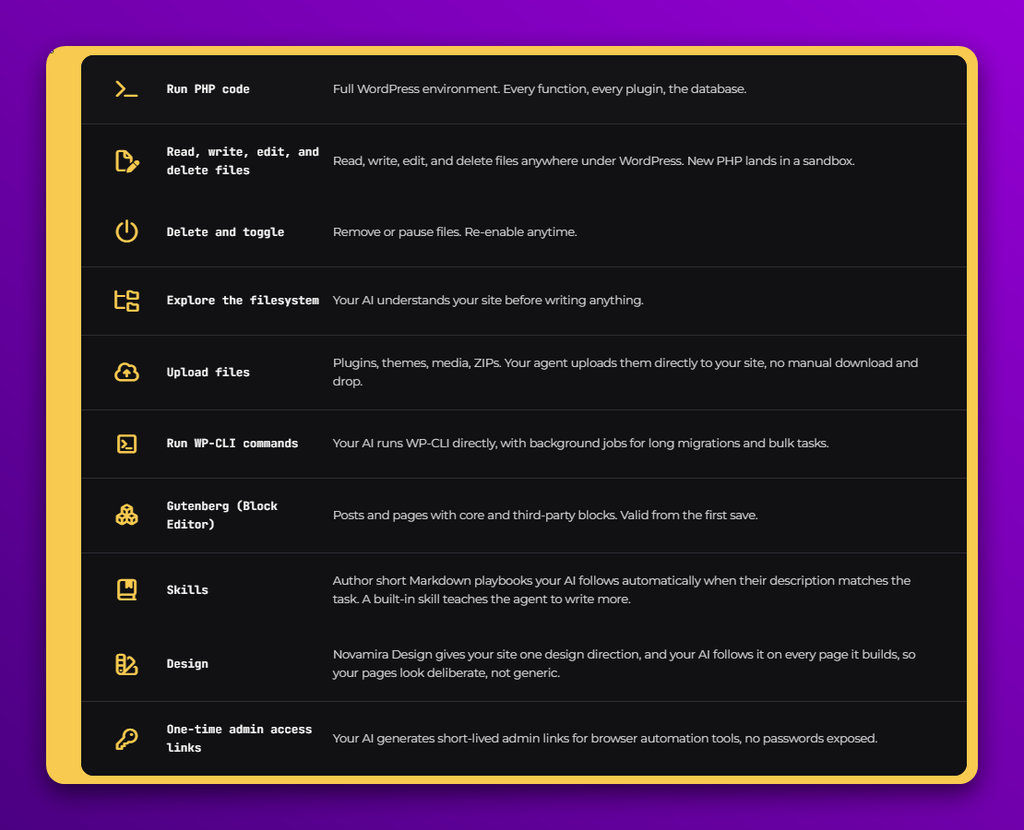
The free version already includes PHP execution, WP-CLI, filesystem operations, Gutenberg, Skills, file uploads, and one-time admin access.
The pro version is offered in three pricing tiers starting at €49 /year, and it builds on the free version with deeper integrations and additional capabilities. It adds specialized support for plugins and builders including Elementor, Bricks, ACF, JetEngine, Meta Box, and more.
It also adds Memory, which lets the agent retain facts about your WordPress setup across sessions instead of asking for the same context repeatedly. Pro also adds WordPress content abilities, giving the AI the ability to create, update, and delete posts and pages directly.
Looking beyond the hands-on test
The Embed Any Document test gave us a practical look at what Novamira’s runtime access allows an AI agent to do. But the execute-php ability is only one part of the toolkit.
The code-execution abilities, execute-php, run-wp-cli, and get-wp-cli-job, give the assistant the same depth of access a developer would have at the terminal. That includes full $wpdb access, the functions of every loaded plugin, and background-job support for long-running commands. That’s what turns Novamira from a chatbot into an assistant that can actually fix things, rather than simply describe what needs to be done.
The admin-access ability addresses another difficult problem: allowing a browser-automation tool to act as an administrator without ever handling a password. It uses a short-lived, one-time exchange rather than a standing credential.
The design library abilities take the assistant beyond simply generating pages. It can save, activate, and pre-flight-check pages against consistent design tokens and anti-slop rules before anything ships. That provides a way to keep AI-generated pages from becoming generic.
And the skills abilities close the loop nicely. The same assistant that edits a site can also be taught new behavior on the fly, using plain Markdown rather than code.
That level of access comes with responsibility
The same runtime access that makes Novamira powerful also deserves careful consideration.
execute-php runs raw eval() against the live WordPress process, giving it full $wpdb access, access to every loaded plugin’s functions, and the entire PHP standard library. There is no function blacklist and no additional capability check beyond a 30-second timeout.
This means the ability can bypass safeguards WordPress would normally enforce. Direct database writes can skip validation and hooks, while the available access could be used to create an administrator account, change site options, read or exfiltrate data, or reach outside WordPress through filesystem access and outbound network calls.
This is inherent to what real code execution means rather than being a bug in the ability itself. The bigger consideration is therefore who is allowed to trigger it. At present, execute-php uses the same admin-level gate as the other abilities, without additional confirmation, logging, or containment specific to the severity of the capability.
The architecture behind the approach
Novamira is built in purpose-built layers rather than as one monolithic feature.
Abilities form the action layer. Every capability, whether file access, code execution, content editing, or admin access, is registered through WordPress’s own Abilities API with its own schema and permission check. That allows the plugin to plug into the emerging AI-agent tooling standard rather than inventing a completely separate system.
Skills sit on top as the behavior layer. Plain Markdown shapes how those abilities are used for a particular workflow, allowing the assistant’s behavior to evolve without touching code.
The policy layer, represented by the Abilities Hub, governs both. Administrators can switch an ability off site-wide with a single rule, with that policy enforced consistently across REST and MCP requests.
The system is also extensible by design. Categories and abilities check for existing registrations before claiming them, allowing third-party plugins and even prior versions of Pro to coexist without conflict.
Where Novamira could go further
A searchable audit log would give administrators a clear history of every execute-php call, run-wp-cli command, filesystem operation, and access-link creation, including who ran it, when, and with what parameters. The platform’s level of power should be matched by equal visibility into how it is being used.
Stronger production safeguards could build on the plugin’s existing environment-detection logic with sharper warnings before destructive operations, rather than relying on a single general notice. That would give production sites an additional layer of protection where the stakes are highest.
Wrapping Up
What stood out to us from testing Novamira is that it can cater to both ends of the spectrum. Independent site owners with little to no technical knowledge, or those with limited coding experience, can use it to investigate and work through issues that they might otherwise need help with.
At the other end, developers can use the same environment access to give AI a much deeper understanding of the site, its plugins, and its code, helping it provide more relevant solutions and assist with development work more effectively.
That makes Novamira an interesting option whether you’re managing a WordPress site on your own or working with WordPress and code every day. It brings AI closer to the actual site, giving both kinds of users more to work with than a simple prompt-and-response workflow.