


WordPress 6.9 “Gene”, the second major release of 2025 been released. This version brings new features such as Notes, the ability to hide blocks, a new Abilities API, and several accessibility, performance improvements, and much more.
New Features and Changes in WordPress 6.9
The release focused on refining the Site Editor experience, enhancing collaboration, and expanding developer tools. A few of the key focuses include a simplified editing mode, improved template management, block-level commenting for content collaboration, and updates to the Interactivity API alongside the new Abilities API.
Site Editor Enhancements
1. Simplified editing mode
One of the improvements is a new simplified editing mode that focuses on content, offering a cleaner interface for quick updates. Users can still access full design tools when needed, making the experience more flexible and less overwhelming.
2. Improved template management
Several updates have made template management more flexible and user-friendly. Key changes include support for multiple templates per slug, draftable templates, preserved custom templates during theme changes, and easier control via REST API endpoints. More information regarding the update to template management can be tracked via this pull request.
3. New option to hide blocks
This new option will let users hide blocks from the frontend while keeping them editable in the backend, ideal for testing layouts or staging content.
4. Notes feature
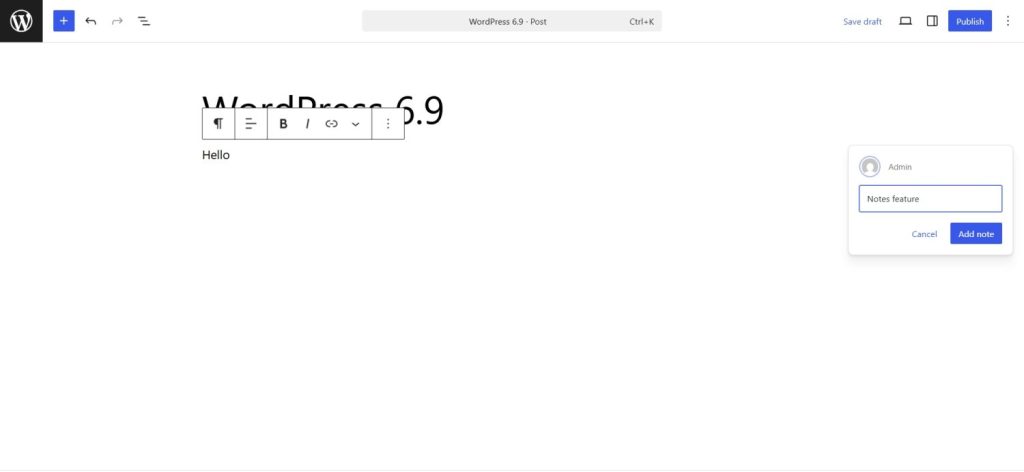
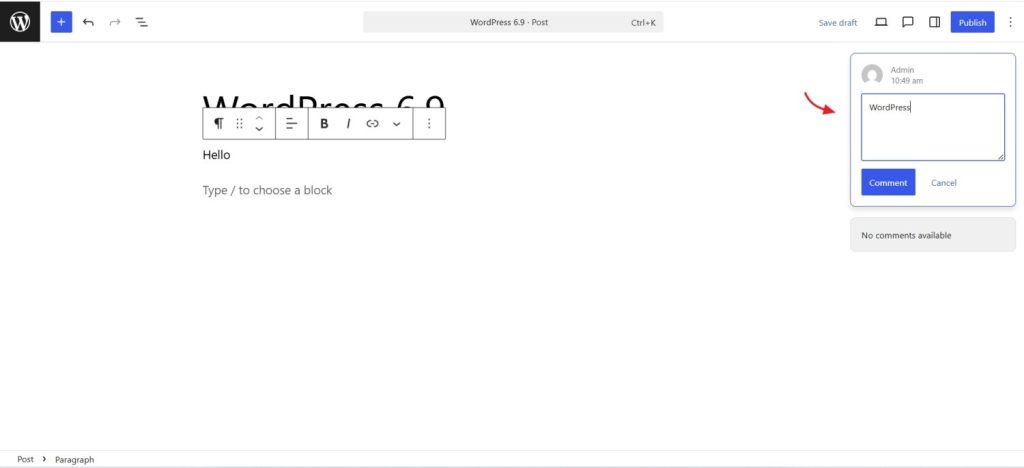
Previously known as “Block level Comment/ inline comments”, Notes allows site admins to leave comments with regard to individual blocks in the editor itself.
5. Several new blocks
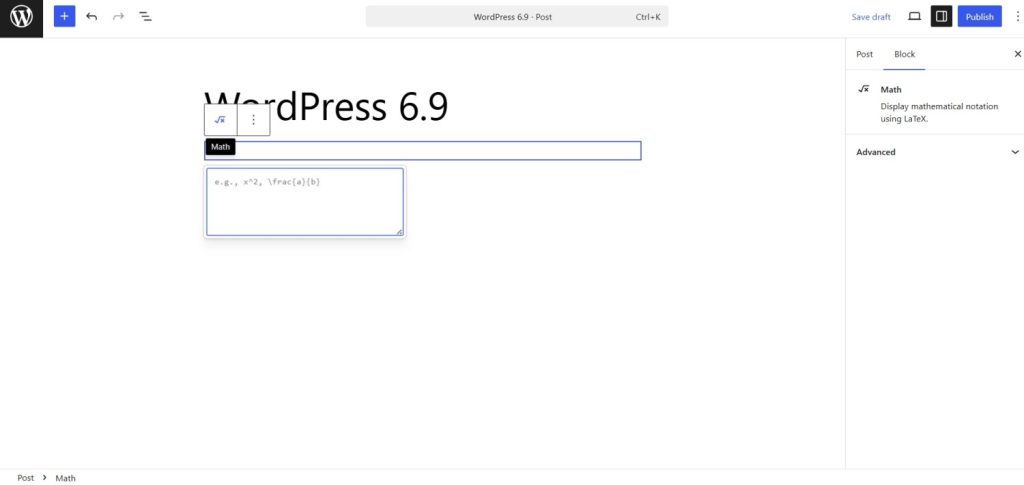
WordPress 6.9 introduces new blocks such as an Accordion Block, Terms Query Block, Time to read block, and Math Block. The Paragraph and Heading block will also support Fit Text.
6. Abilities API
The Abilities API in WordPress 6.9 introduces a centralized system that lets themes, plugins, and core features list and describe their capabilities in a consistent, machine-readable way. It builds a unified catalog of what WordPress can do, making those functions easier to discover, verify, and run across PHP, REST endpoints, and upcoming AI-driven tools.
Improvements to Content Creation
To refine content creation, various enhancements are being worked on, such as improved drag and drop, changes to block settings, and more. A new block-level commenting feature is in development to support collaborative workflows.
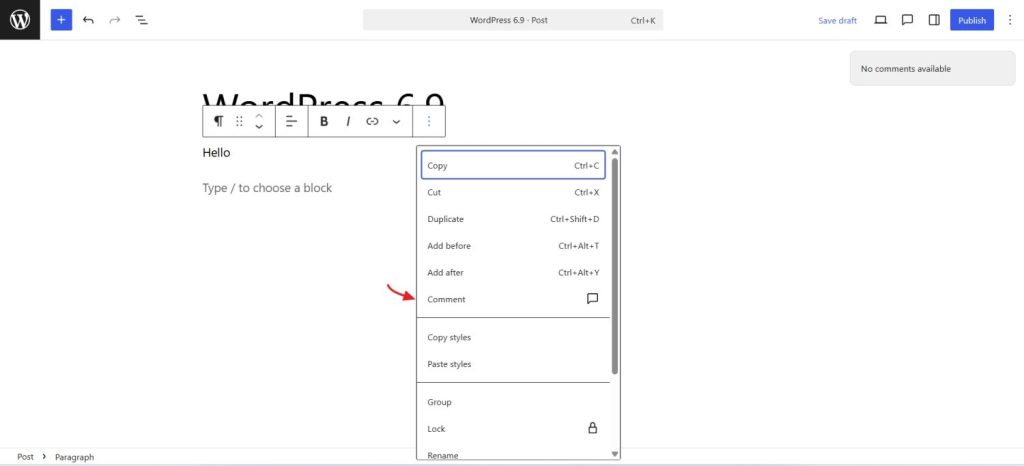
Upon selecting the option, a new comment box will open as seen below.
Command Palette access across WordPress
WordPress 6.9 expands the Command Palette across the entire interface, making it easier to navigate and perform actions quickly. This update also sets the stage for future AI features through the Abilities API.
What’s New for Developers
Other upcoming enhancements include refinements to the DataViews package, updates to the Block Bindings, HTML, and Interactivity APIs, and the introduction of the new Abilities API.
Performance improvements
Planned improvements include faster Data Views with partial fetching, smarter field handling, support for fetchpriority in ES Modules, standardized output buffering, bfcache-based instant navigation for logged-in users, and better stylesheet minification and inlining.
Several major features are expected to launch alongside WordPress 6.9, either as canonical plugins or experimental features in Gutenberg, including a modular admin redesign, the MCP Adapter, and the PHP AI Client SDK.