



Raising funds online has never been easier, thanks to WordPress donation plugins. Whether be it for a nonprofit, a crowdfunding project, or simply being open to receiving donations from others for your work, these plugins make the whole process seamless.
These plugins offer various customization options along with support for multiple payment gateways with a strong focus on security. In this guide, we will explore some of the top donation plugins for WordPress that you can opt for that can streamline the fundraising process and enhance the donor experience.
The Best Donation Plugins for WordPress
1. GiveWP
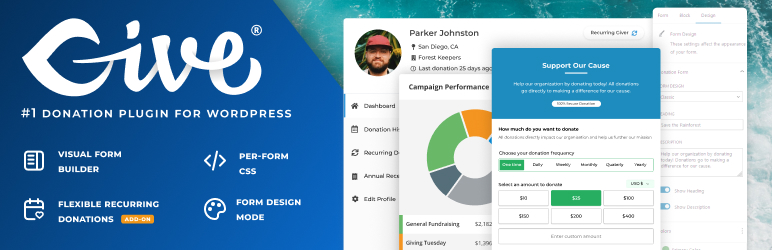
GiveWP is perhaps the most popular choice and its strong user base is a testimony to it. With over 100,000+ active installations, the plugin is feature-packed. Everything from customizable donation forms, multiple payment gateways, reporting features, recurring donations, payment history, and so much more.
There is also support for several marketing integrations, eCommerce tracking, and powerful add-ons. The Visual Donation Form Builder is intuitive and works well with the majority of the form builders.
This is a freemium plugin and the paid version has three tiers, Basic, Plus, and Pro.
Key features:
- Fundraising reports
- Powerful donor management features
- Anonymous donations feature
- Test gateway feature to preview the donation process
- Salesforce NPSP Integration
Also read: WordPress Automation Plugins and Tools to Streamline Workflow
2. Charitable

Charitable is a user-friendly and powerful WordPress donation plugin designed to help nonprofits, charities, and organizations raise funds effortlessly. With its drag-and-drop donation form builder, pre-built fundraising templates, and seamless payment integrations—including Stripe, PayPal, and Square—creating and managing donation campaigns is quick and efficient.
Charitable supports one-time and recurring donations, crowdfunding, peer-to-peer fundraising, annual receipts, and various donor engagement tools. Integration with popular tools and services is also there along with several extensions to extend the functionality.
Charitable Pro is available as a premium upgrade and there are four plans that users can choose from.
Key features:
- Unlimited campaigns
- Donor profiles
- Fee relief and gift aid
- Numerous automation
3. Paymattic
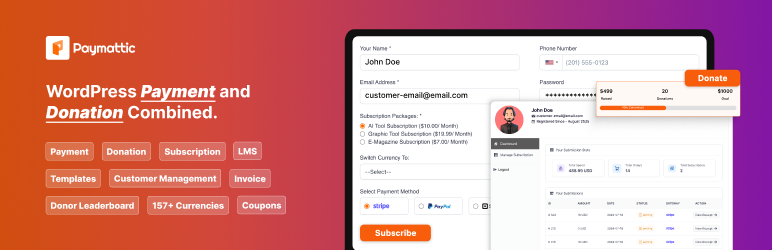
Paymattic is a reliable and lightweight WordPress plugin designed for seamless payment processing and donation management. The plugin is suitable for small businesses, eLearning platforms, memberships and is not just limited to donations.
Users can access 13 payment gateways, ReCAPTCHA V2 and V3, currency settings, honeypot security, PDF invoices, and many more features. When it comes to the donation features, everything from one-time payment, guest donations, pre-built donation templates, leaderboard, multiple integrations, and other necessary features is available.
This is a freemium plugin with more features always accessible with the paid plans.
Key features:
- Pre-built payment templates
- Ability to create custom discount coupons
- Guest donations
- Shortcode support
4. WP Crowdfunding

WP Crowdfunding is a WooCommerce-based plugin that allows users to create and manage crowdfunding sites using WordPress. Its free version offers an intuitive front-end submission system, customizable campaign settings, and essential fundraising features. The premium version includes advanced tools like a native wallet system, Stripe Connect integration, unlimited rewards, analytical reports, and email notifications.
The plugin also provides users with several shortcodes and add-ons.
Key features:
- Native wallet support
- Reward system
- Powerful reporting and analytics
- Reward system
5. FundEngine

FundEngine is a completely free donation and crowdfunding plugin for WordPress. Being a free plugin doesn’t mean it is short on features as all the necessary ones are packed into it. The plugin supports multiple payment options, including PayPal, Stripe, WooCommerce integration, and manual bank transfers.
There are also several action hooks, filters, and functions which make this plugin even more developer-friendly. The plugin is fully compatible with Elementor and is translation-ready out of the box. Multiple payment gateways are available and users also have access to a front-end dashboard.
Key features:
- A frontend dashboard for users
- Unlimited reward
- Elementor builder integration
Also read: The Best WordPress Popup Plugins
6. Donorbox
Donorbox is an easy-to-use donation plugin for WordPress that simplifies online fundraising for individuals and organizations. With fully customizable donation forms, multiple payment options, and seamless integrations, it provides a feature-rich solution to boost donor conversions and improve your fundraising efforts.
Users can embed donation forms directly into their website or deploy them as pop-ups, allowing donors to contribute via Stripe, PayPal, Apple Pay, Venmo, Google Pay, and more. Additional integrations with MailChimp, Salesforce, and employer gift matching further enhance its capabilities. Even more features can be accessed with the premium version fo the plugin,
Key features:
- Numerous automated actions
- Intuitive form builder
- Strong focus on security
- Donation popup feature with full customization
7. AidWP

AidWP is different from the competition in the sense that it only supports the Stripe payment gateway. Designed for simplicity, it allows users to accept credit card payments with minimal setup, making it an ideal solution for numerous fundraising campaigns.
With AidWP, you can easily embed donation or payment forms on any page using shortcodes. The plugin supports over 150 currencies and includes features like donor list management, customizable email receipts, and a built-in thank-you page editable with Elementor. Users can personalize form titles, descriptions, banners, and buttons to match their branding.
Key features
- Customizable receipt email
- No extra Charge on transactions
- Fully customizable forms
- Google reCaptcha Integrated
8. Accept Donations with PayPal & Stripe

Accept Donations with PayPal & Stripe is a simple yet powerful WordPress plugin that allows you to easily collect donations through PayPal and Stripe. With a quick setup and an intuitive interface, you can integrate the donation button on your site to start the process.
The plugin offers built-in support for 18 languages and 25 currencies, ensuring global accessibility. Additionally, users can enable recurring monthly donations and also have the option to set a PayPal / Stripe Sandbox account. For those needing advanced features, the Pro version expands capabilities allowing donors to contribute daily, weekly, monthly, or yearly, set up donations that recur forever, and much more.
Key features:
- PayPal testing with Sandbox mode
- Set up donations that recur forever.
- Easy setup process
9. Donations via PayPal

Donations via PayPal allow you to add a PayPal widget with the help of a shortcode. The plugin offers an easy setup process and the ability to customize the currency, payment page style, and button localization.
Key features:
- Lightweight widget
- Shortcode to insert PayPal button anywhere on your website
- XHTML Transitional and Strict code
- The plugin is already translated into multiple languages, allowing more users to make use of it.
Also read: Must-Try WordPress AI Plugins and Services to Boost Productivity
10. FundPress

FundPress can cater to all your donation and crowdfunding needs efficiently. There are multiple payment options, a donation widget, a campaign page, and more. The plugin is suitable for nonprofit organizations, donation websites, and fundraising initiatives.
Key features:
- SEO optimized
- Compensation plan page with rewards and thank you notes to express gratitude to donors
- Powerful campaign tracking
- Email notifications
Wrapping up
As we have explored, there are a host of WordPress donation plugins that users can opt for based on their requirements.
Disclosure: This post may contain affiliate links, which means we may receive a commission if you click a link and purchase something that we shared. Read more about Affiliate disclosure here.