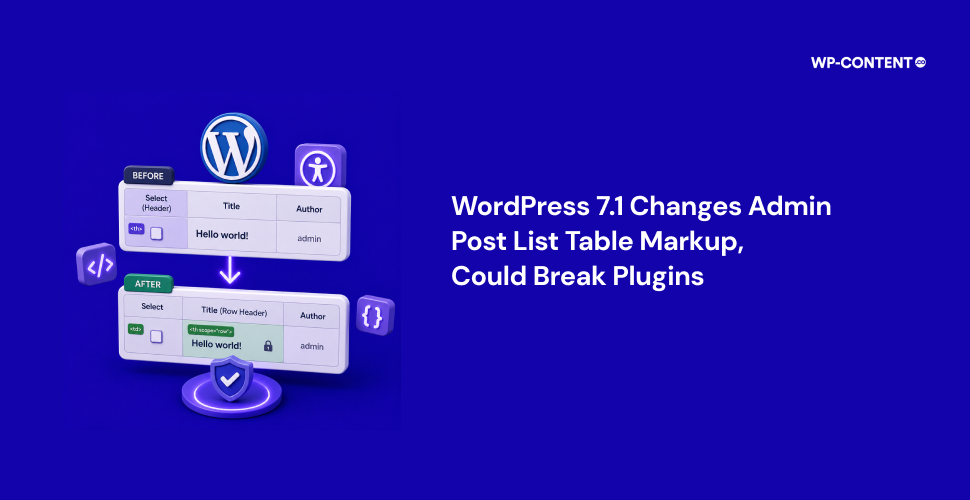



WordPress 7.1 introduces a small but important accessibility improvement that changes the HTML structure of admin post list tables. This was announced by Joe Dolson of Make WordPress Accessible team, the team dedicated to improving accessibility in the WordPress ecosystem.
The update resolves an 11-year-old Core ticket #32892 (opened by Web accessibility specialist and WordPress core committer Andrea Fercia) by moving the row header from the checkbox column to the post title, allowing screen readers to identify each row by the post’s title instead of a checkbox. The change affects post list tables across the WordPress admin, including screens that use the standard list table component.
The Upcoming Changes
Eleven years ago Andrea Fercia noted, “In all the List Tables in the admin, the “Select %s” (where %s is the name of the Post, Attachment, Plugin, User, etc,) is used as row header: <th scope=”row” class=”check-column”> . This is not correct from a semantics and accessibility point of view for all the reasons mentioned in #31654. The row header should be the cell with the main object the table refers to: the Post title, the Plugin name, etc.”
He also shared that “when a post is locked and the lock icon appears, the icon has no label or text that can be announced so screen readers will read out the column header “Select All”.
Beginning with WordPress 7.1, the post title column will serve as the row header, making navigation more meaningful for users of assistive technologies. It will change from a <td> to a <th scope="row"> with an aria-label set to the post’s title while the checkbox column switches from a <th> to a <td> element.
Before
<th scope="row" class="check-column">...</th>
<td class="title column-title">Post Title</td>
After
<td class="check-column">...</td>
<th scope="row" class="title column-title">
    Post Title
</th>
This will help screen readers identify each row using the post’s title, providing meaningful context and making the admin interface much easier to navigate for users who rely on assistive technologies.
Another change in is updating the CSS for collapsed table cells in the responsive view to use a flex layout.
Impact of These Changes
These updates require changes to plugins or custom code that rely on the existing table structure. If your plugins or custom code rely on CSS or JavaScript that targets the th.check-column selector—or assumes the checkbox is inside the table header—you may need to update them.
Any code that expects post titles or row actions to be inside a <td> should also be reviewed, as these structural changes could affect how your customizations work.
Next Steps for Plugin Developers
This change won’t affect public-facing themes or most end users. But it can break plugins and customizations that target admin list tables with CSS or JavaScript.
To stay compatible with WordPress 7.1, review any CSS or JavaScript that targets post list table elements.
- If your code targets check columns, update your selectors to use
th.check-columnorth input[type="checkbox"]. - If it targets post titles or row actions, use selectors such as
td.title,td.column-title,td.page-title,td.column-primary,td .row-title,td .post-state,td .row-actions, or similar patterns.
Developers can also refer the official before-and-after markup examples provided in the official announcement.
<tr>
  <th scope="row" class="check-column">
    <input type="checkbox" name="post[]" value="123">
  </th>
  <td class="title column-title column-primary page-title">
    <a class="row-title" href="...">Hello world!</a>
  </td>
  <td class="author column-author">admin</td>
</tr>
Code Before Update
<tr>
  <td class="check-column">
    <input type="checkbox" name="post[]" value="123">
  </td>
  <th scope="row" class="title column-title column-primary page-title" aria-label="Hello world!">
    <a class="row-title" href="...">Hello world!</a>
  </th>
  <td class="author column-author">admin</td>
</tr>
Code After Update
Developer Advocate at Woo, Brian Coords tweeted, “This is probably the closest thing you’ll see to a ‘breaking change’ in WordPress, so if your plugin does anything funky with post list tables, I’d recommend testing ahead of WordPress 7.1. Worth it for the accessibility win.”