


When developing a website, the areas of focus are the content, design, performance, and security to make sure everything runs smoothly. But what about the people visiting your site? Thinking about your audience isn’t just about how your site performs or looks. It’s also about clearly defining the privacy and data aspects to them, such as how their data is handled, what information is collected, how cookies are used, and how they can manage their preferences.
Now, to keep your website compliant with all the data privacy rules out there, you’d normally need a team that has both technical and legal expertise. This is something that isn’t feasible for most website owners.
This is where the WPLP Compliance Platform truly proves beneficial. From generating legal pages to setting up a cookie consent banner that respects the privacy laws of your audience’s region, thereby ensuring your website stays compliant.
What is the WPLP Compliance Platform and Why It Matters
Now, if you’ve decided to handle tracking and updating privacy and data laws on your own, the real question is: can you stay consistent? With all the other responsibilities of running a website, a business, or other things, the chances are you simply can’t. And even if you did manage to keep up, could you ensure that every visitor sees notices that are always accurate, compliant, and up to date?
This is where we found the WPLP Compliance Platform to be really helpful. It acts like a dedicated legal team for your website, taking care of privacy and data protection aspects for you. The platform consists of two main tools:
- Privacy Policy Generator – This generates legally compliant documents for your website. Such as privacy policies, terms & conditions, disclaimers, refund policies, and more.
- Cookie Consent Manager – With this, you can create fully customizable cookie banners, track and log user consent, categorize cookies, and so on.
The banners shown to users adapt automatically based on their region, and if privacy laws are updated, the plugin ensures website compliance by keeping everything up to date without any manual effort.
Key features:
- Geo-Targeted Cookie Notices: Display region-specific consent banners based on the visitor’s location.
- Powerful Cookie Scanner: Automatically identify all cookies on your site with a single click.
- Data Subject Access Request Handling: Built-in DSAR forms with automated workflows and audit trails.
- Supports Modern Consent Standards: IAB TCF 2.2 integration and Google Consent Mode v2 for advertisers and analytics.
- Automatic Updates: Legal templates and compliance settings are updated automatically when laws change.
- Additional Compliance Tools: Age verification popups, forced consent, “Do Not Sell” notices for CCPA, and a built-in affiliate disclosure generator.
- Script Blocker for Pre-Consent Protection: Automatically block third-party scripts like Google Analytics, YouTube, or Meta Pixel until users give consent
Inside the WPLP Compliance Platform: Features & Functionality
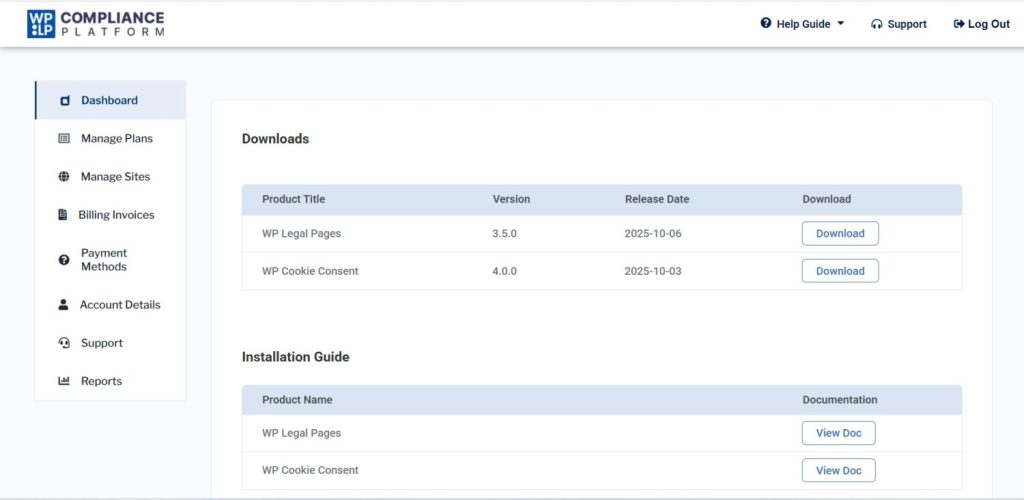
Getting started with the WPLP Compliance platform is easy. Head over to their website and sign up. Once you’re logged in, your dashboard displays the two main plugins — “ WP Legal Pages “ and “ WP Cookie Consent.”
Now, download both the plugins, upload them to your website, and activate them. Once you have completed this process, this is how the homepage of the WPLP Compliance Platform will be:
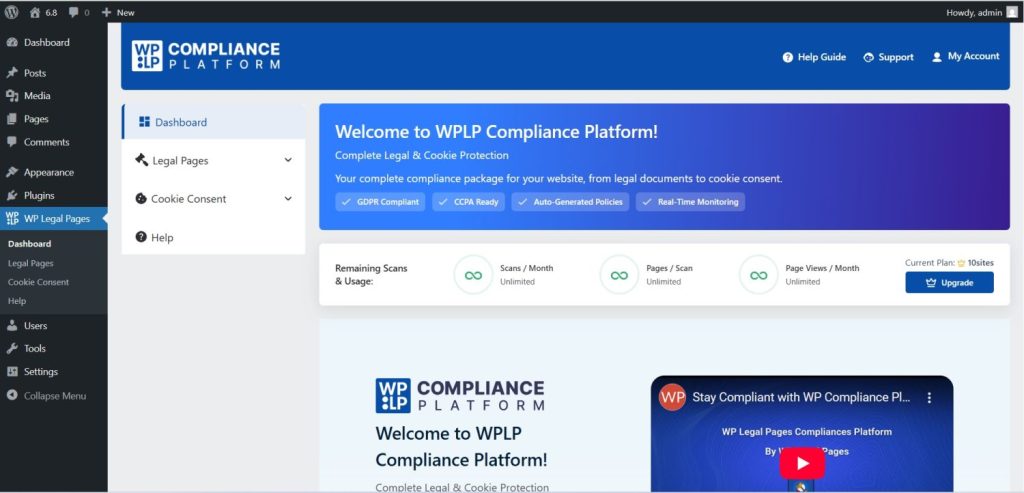
Note: Remember to connect your account once the plugin has been installed to access all the features.
Creating Legal Pages
Now, to get started, select the “ Legal Pages” menu from the plugin’s dashboard.
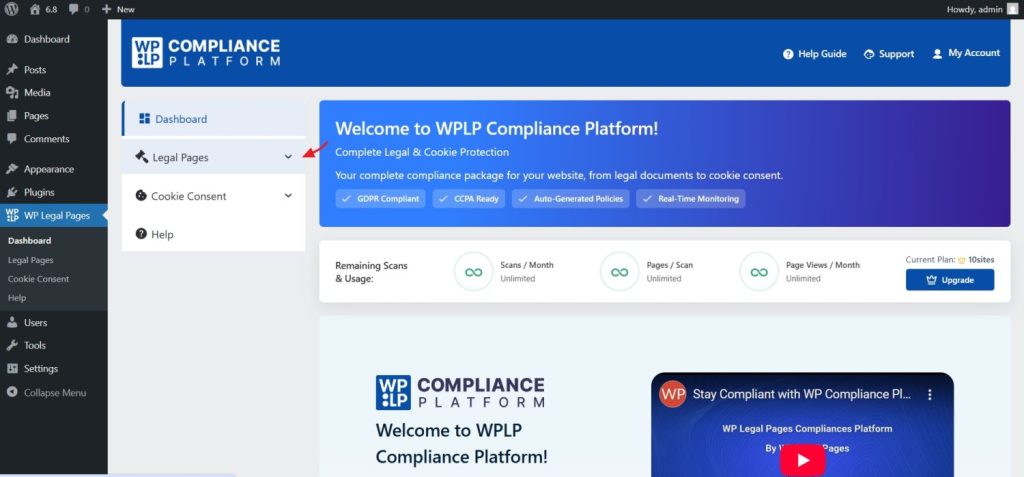
This will take us to the settings page, where we have to select the “Create Page” option on the right-hand side. Now you can enter the details for the “ General “ tab, which will be used during the legal page creation process. We can also enter the required information later in the process.
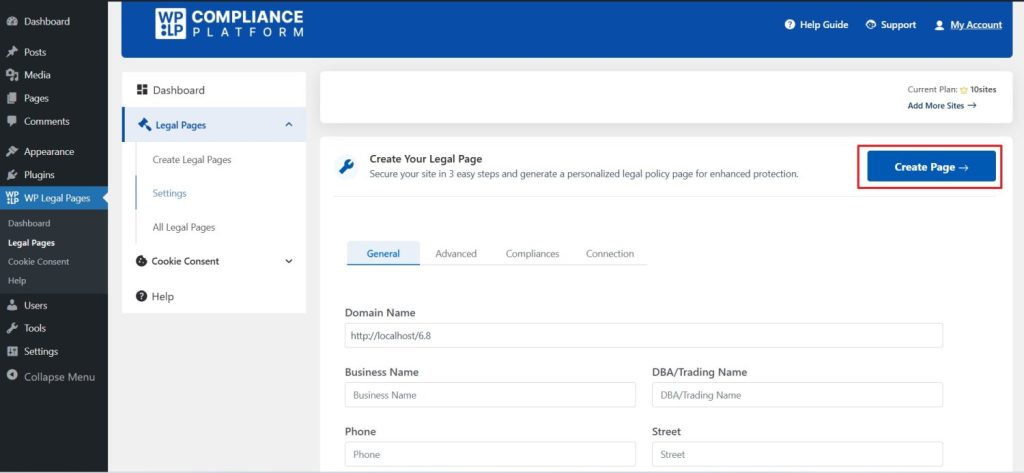
The “Advanced” section provides us with further customization options.
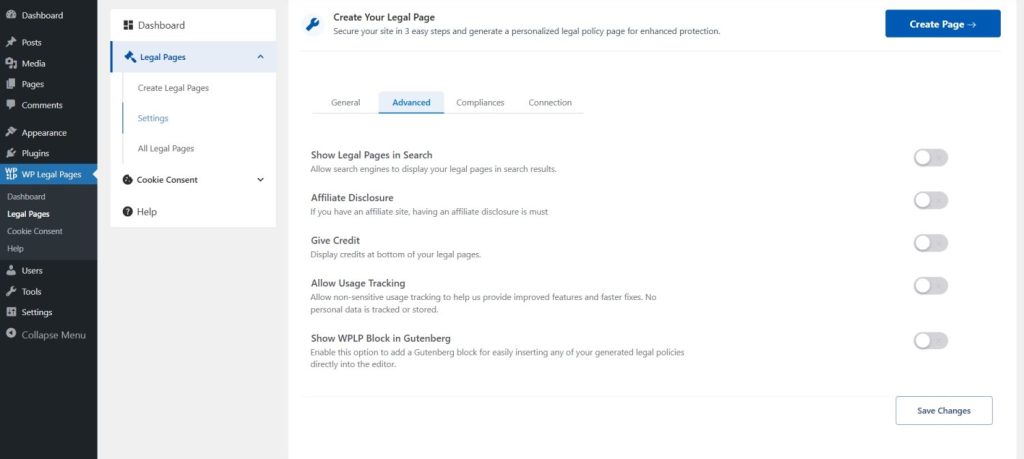
The “Compliances” section also offers us many settings that we can opt for.
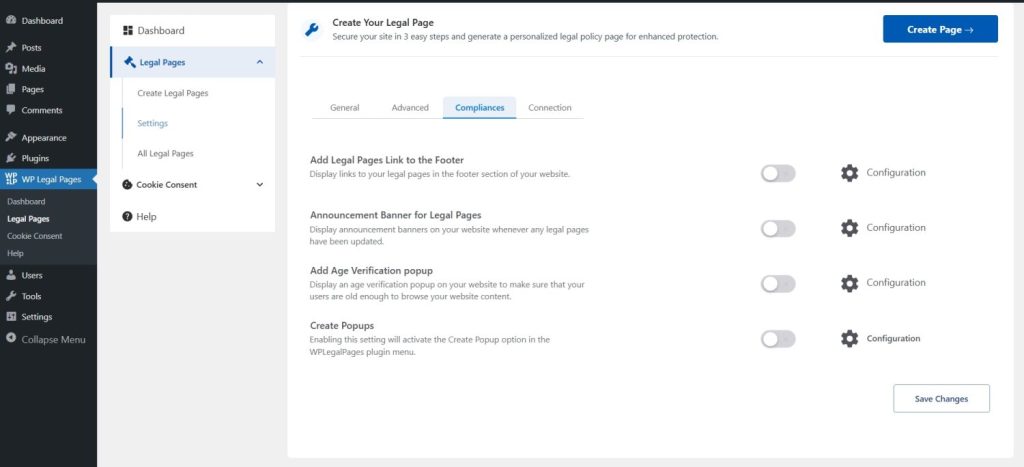
Once everything has been configured, select the “ Create Page” option, which will take us to the “WP Legal Pages Wizard” and four steps are all it takes to create a custom legal page.
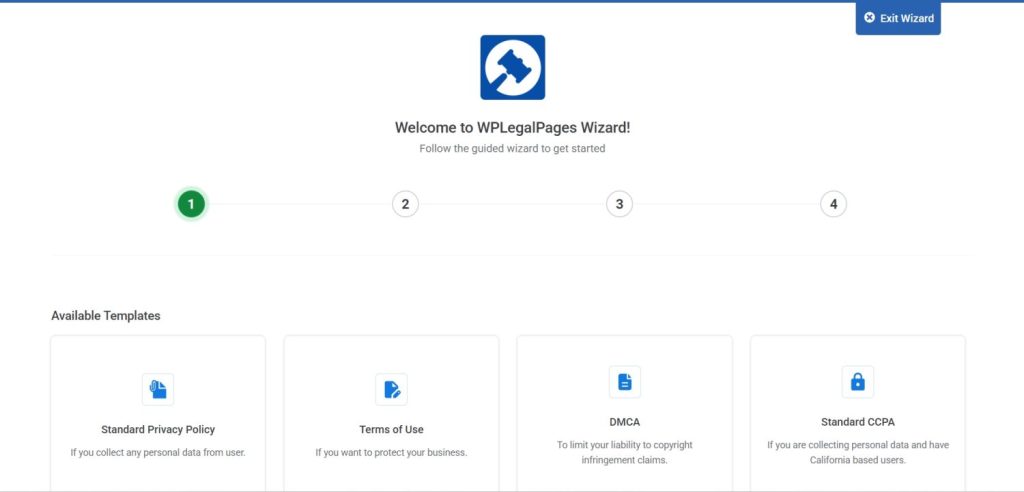
On the free plan, we have access to four templates: Standard Privacy Policy, Terms of Use, DMCA, and Standard CCPA.
But if you have opted for the Pro version, you get access to over 30 + templates, such as:
- GDPR Privacy and Cookie Policy
- Returns and Refunds Policy
- CCPA and COPPA Policy
- Linking Policy
- Digital Goods Refund Policy
- Confidentiality Disclosure
We went with the ‘Standard CCPA’ policy template. Here we can review the details that we had entered in the “General” section. If needed, we can make changes to this here, if needed.
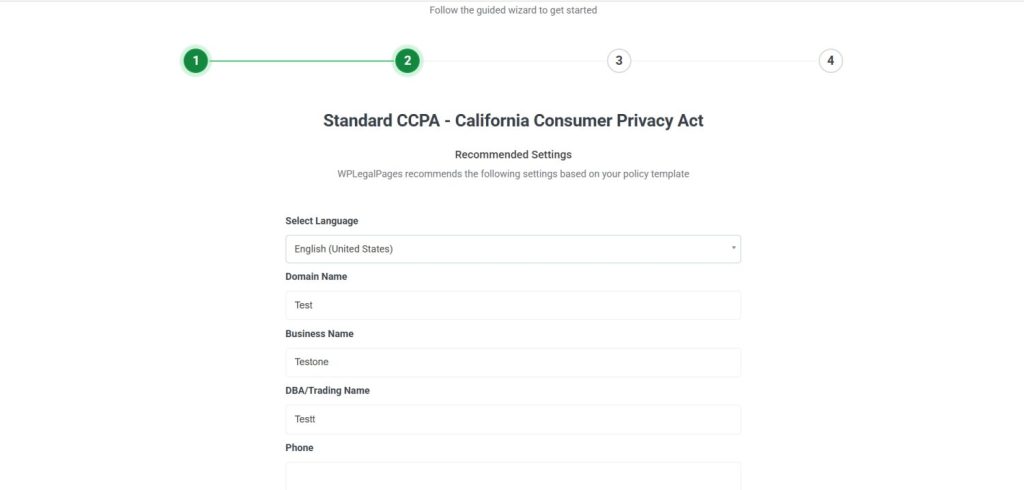
Once the details are filled in and you proceed, the wizard shows a preview of the custom-generated legal page.
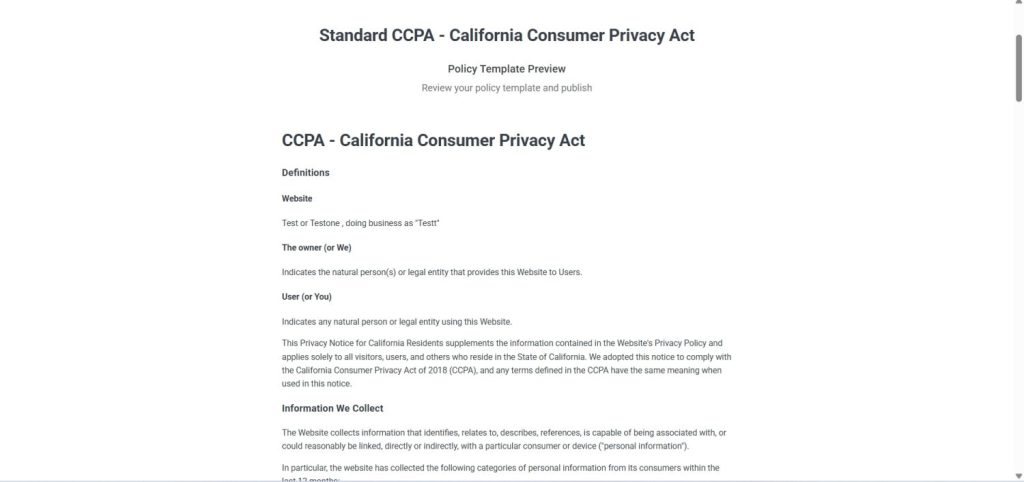
After reviewing the legal page, we can select the “ Create and Edit” option to make any necessary changes. Once the changes are done, if any, that is, we can proceed to publish it.
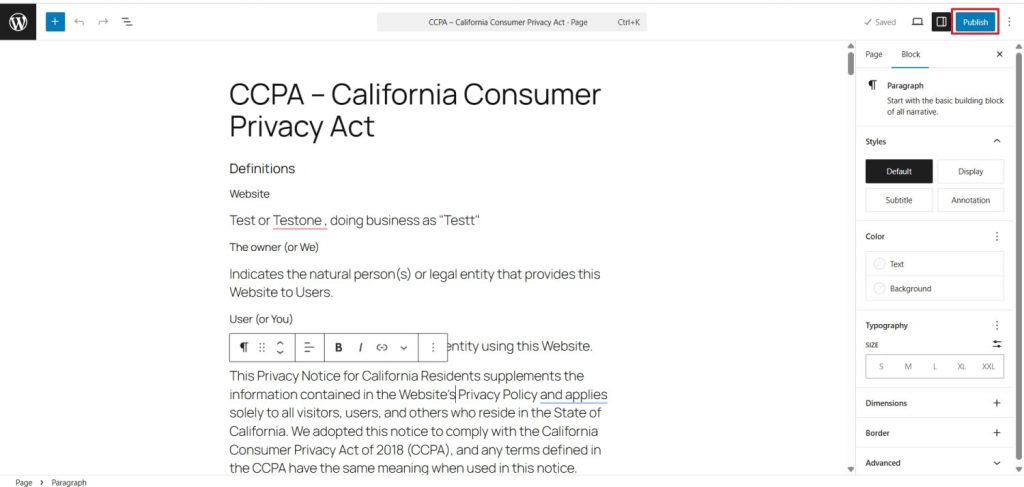
That’s how effortless it was to create a custom CCPA legal page with the WPLP Compliance platform. Now imagine doing all of this manually, juggling multiple tabs, trying to understand the law, and making sure everything you read is accurate.
All the templates are reviewed by legal experts and updated accordingly so that our website always remains compliant.
Configuring the Cookie Consent Banner
After setting up the legal pages, the next important step is managing cookie consent. Website visitors need to know what data is collected, how it’s used, and have control over their preferences.
This is another area the WPLP Compliance Platform handles well, especially with the level of control it gives us. The configuration is also minimal without making it complicated.
With the Cookie Consent option selected, define a default law for the website and a different one for geo-targeting.
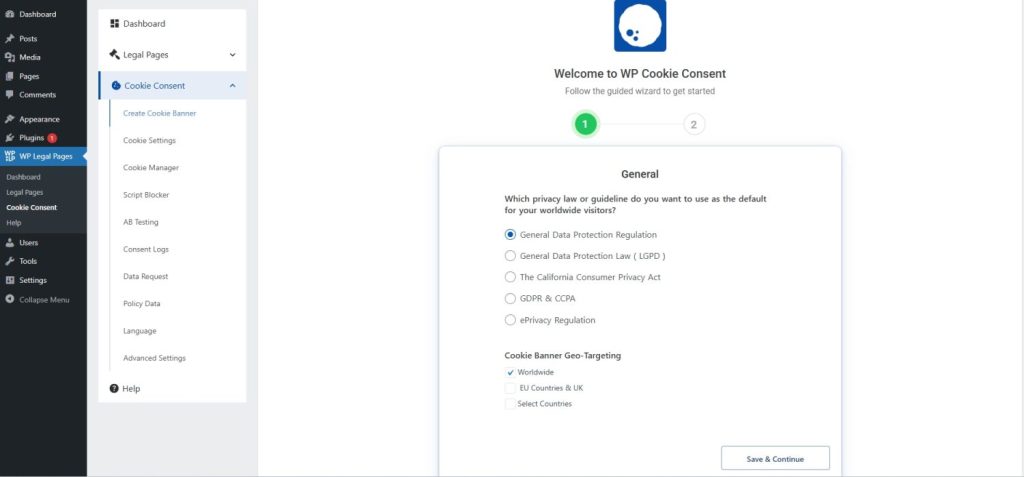
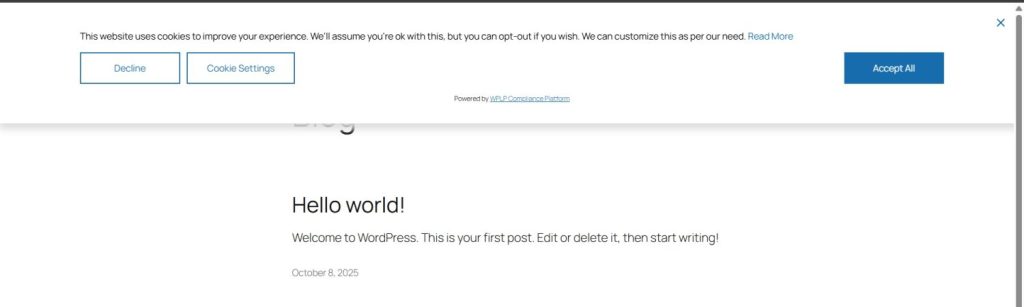
The next step allowed us to further configure the cookie consent. We enabled “Consent Logging” and chose to display the banner at the top of the website. The banner message can be customized to your liking even after the initial setup. The shortcode feature is also very handy.
In just two steps, we were able to set the default law, apply location-based rules, choose the banner style, and more. Something that otherwise would’ve required more effort and time.
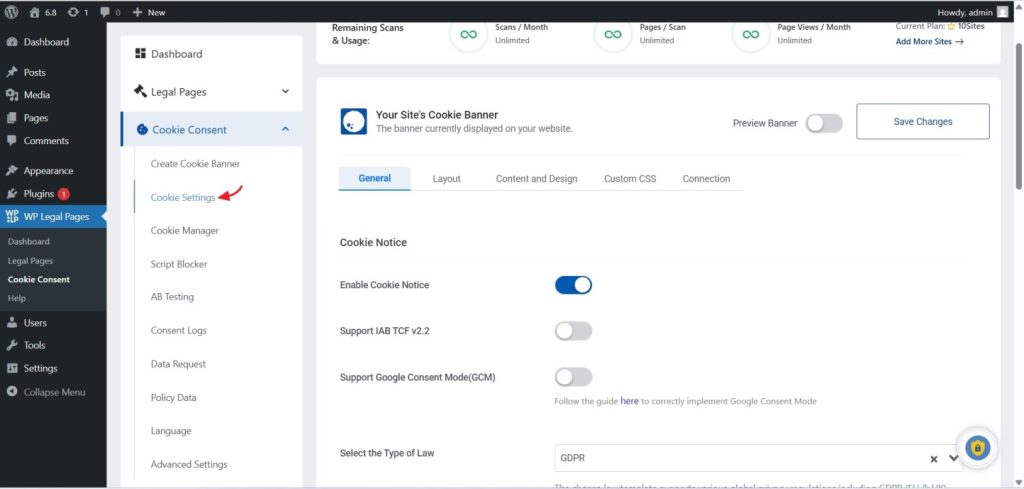
That was only the initial setup. The platform also offers a range of advanced configuration options, including:
- Enabling support for IAB TCF v2.2 and Google Consent Mode
- Restrict the notice from displaying on certain pages and posts
- A cookie consent template library
- Auto-Detect Banner Language
- Complete content and design customization with support for custom CSS
All the above and more can be accessed from the cookie settings menu.
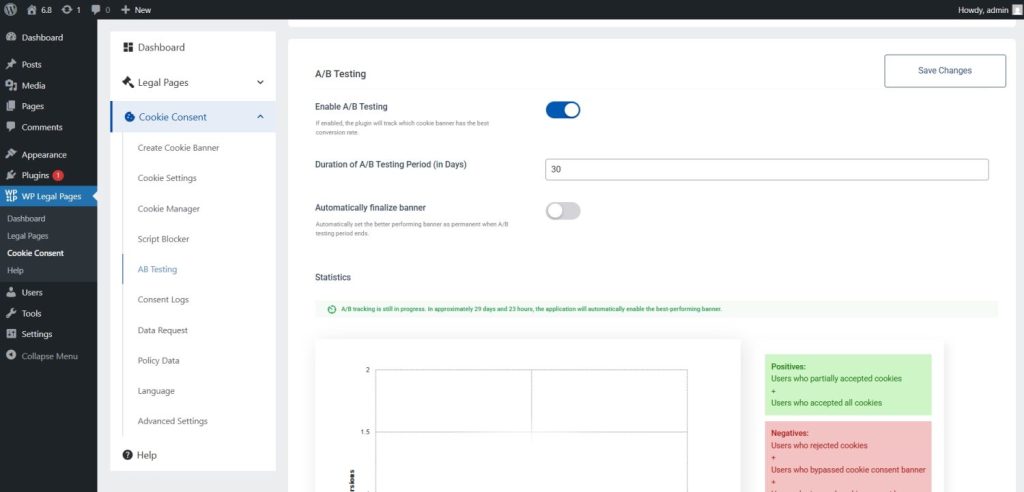
There’s also a unique A/B testing feature built right into the plugin. It lets us compare how two different banners perform and decide which one works best.
Documentation and Support
WPLP Compliance Platform comes with in-depth documentation. Beyond just explaining the usual setup process, the documentation also covers why websites need to follow the rules and the importance of staying compliant, which in turn provides a broader context for those who are not very familiar with it.
In addition to the written documentation, the platform also provides several video tutorials for both WP Legal Pages and WP Cookie Consent plugins.
When it comes to support, they have a dedicated “Contact Us” page where you can submit a ticket. We haven’t personally tested this support yet, so we don’t know the time frame required to resolve a ticket.
WPLP Compliance Pricing
WPLP Compliance Platform comes with three pricing tiers – Professional, Business, and Agency.
- Professional plan priced at $4 per month (billed yearly), supports up to 3 sites and includes essentials like 30+ legal templates, age verification popups, and affiliate disclosures. On the cookie consent side, it offers 50 scans per month, supports up to 10,000 pages per scan, and handles 100,000 pageviews per month.
- Business plan priced at $6 per month (billed yearly), supports up to 10 sites and includes everything from the Professional plan, plus expanded capabilities. It offers unlimited cookie scans per month, covers up to 20,000 pages per scan, and supports unlimited pageviews.
- The Agency plan, priced at $14 per month (billed yearly), supports up to 25 sites and includes the same features as the Business plan and is suitable when you have many websites to manage.
Final Verdict
WPLP Compliance Platform makes setting up legal pages and cookie consent banners easy. With expert-reviewed legal pages that auto-update as laws change, saving time and effort, and a cookie consent banner offering plenty of options, it’s a solid proposition for ensuring legal compliance on websites.
The platform could be further strengthened with the addition of a Gutenberg block for displaying selected legal page links, allowing page selection, flexible layouts, styling options, and advanced customization via custom CSS.